
Create a Shopify collection with AI from a plain-English description
Create with AI is the fastest way to build a collection: you describe what you want in plain English, and Awsm Collections writes the rules, shows you the actual products that match, and lets you refine it by just saying what to change — then saves it as a live, rule-based collection that keeps itself up to date. No hand-picking, no rule syntax. Here's the whole flow.
Don't have Awsm Collections yet? Install it from the Shopify App Store →
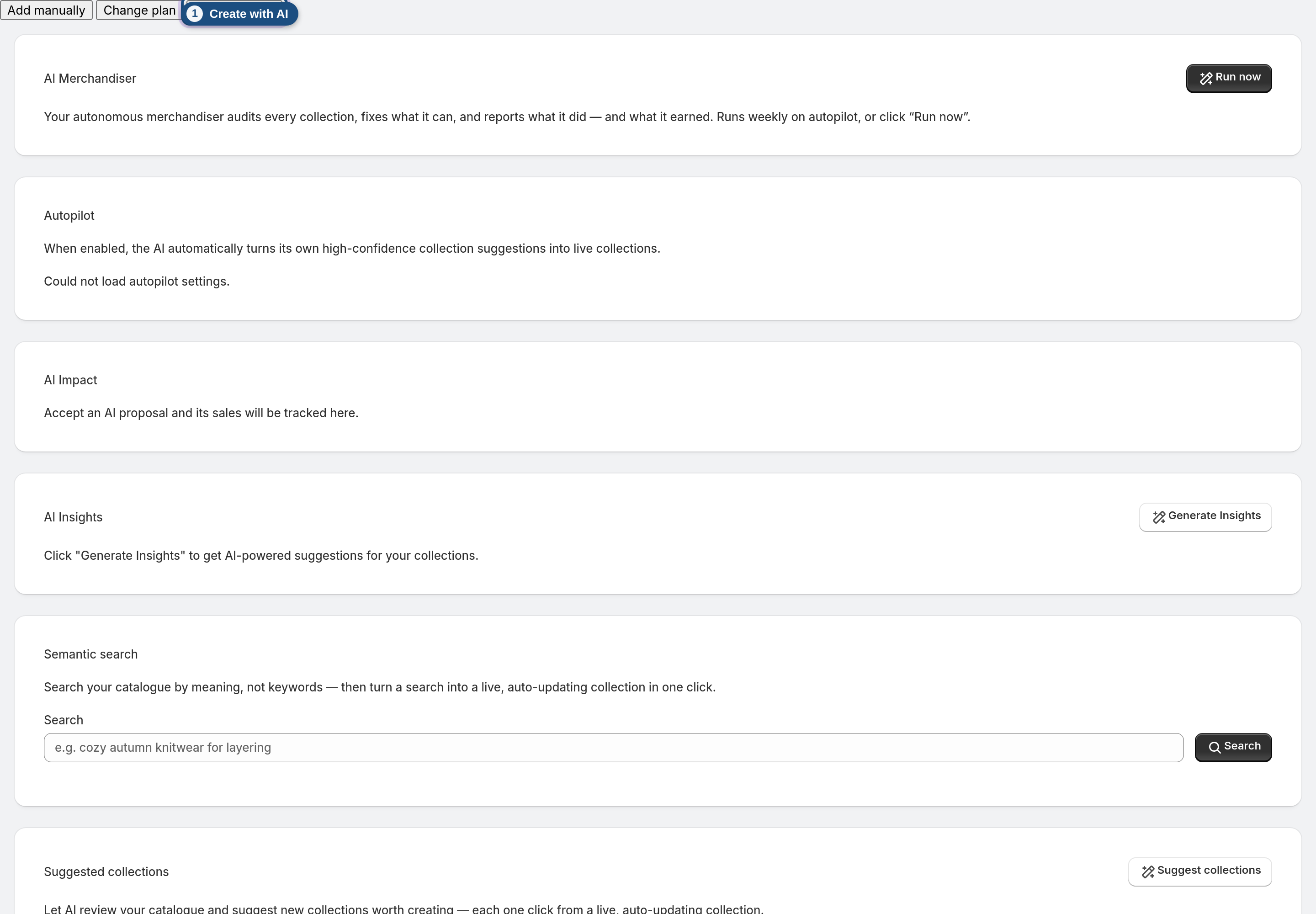
1 Open Create with AI
From the dashboard, click Create with AI (next to Add manually). You land on a describe-and-refine console for a brand-new collection.
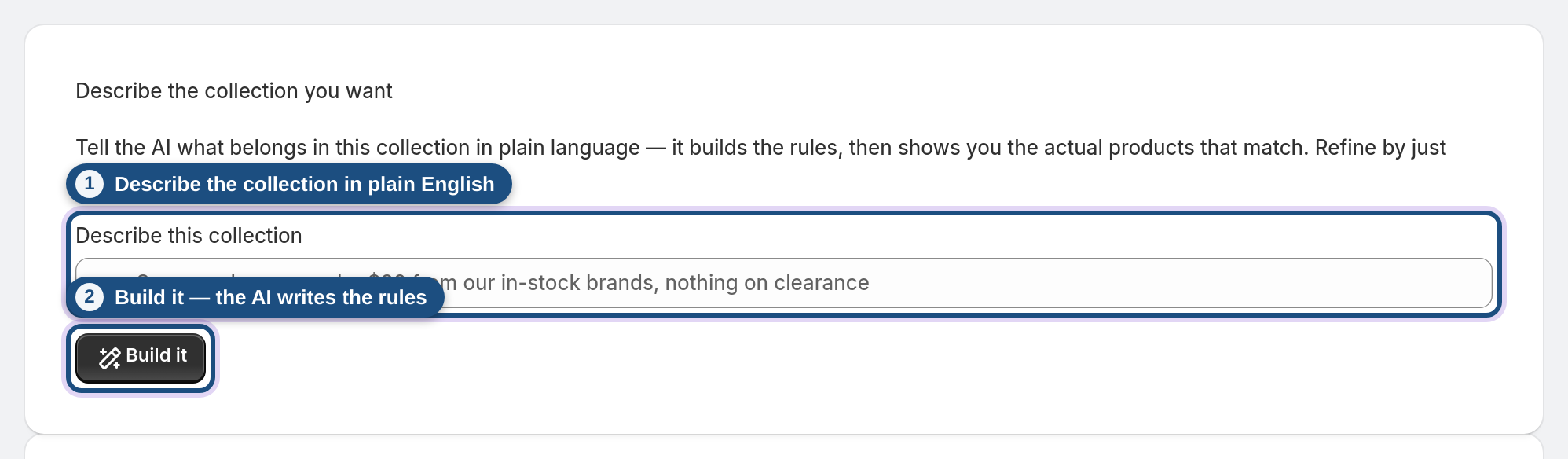
2 Describe the collection you want
In Describe this collection, type what you're after in ordinary language — for example "Summer dresses under $80 from our in-stock brands, nothing on clearance." Be as specific as you like about type, price, tags, inventory or brand. Then click Build it.
3 See the products that match
The AI turns your description into rules and shows you the real products that match, with a confidence note and, when relevant, a short list of borderline items to double-check. This isn't a guess — it's the same rules engine your saved collection will run on, so what you see is what you'll get.
4 Refine by just saying what to change
Not quite right? Use the Refine box and say what to adjust — "more muted colours, and drop anything over $60." The AI rewrites the rules and re-runs the match. Keep refining in plain language until the set looks right; each turn builds on the last.
5 Check the rules behind it
Open Why these products? (the rules) to see exactly which conditions the AI wrote. Want to fine-tune by hand? Click Open the full rules editor to jump into the standard rule builder with the AI's groups and conditions pre-filled. Sorting starts at the default (title A–Z), so pick the sort order you want there.
6 Save it as a live collection
Enter a Title under Save this collection and click Save collection. It becomes a managed, rule-based collection that syncs to Shopify and re-evaluates on a schedule — so it stays correct as products are added, sell out, or change. Exactly like a collection you'd build by hand, just faster to create.
Frequently asked questions
How do I create a Shopify collection with AI?
Open the app, click Create with AI, and describe the collection in plain English (e.g. "in-stock summer dresses under $80"). The AI writes the rules, shows the products that match, and you save it as a live collection — no manual rule-building.
Does it just pick products, or does it write rules?
It writes rules. The AI translates your description into real conditions (type, price, tags, inventory, and more) and runs them through the same engine your saved collection uses, so the collection keeps updating itself instead of being a frozen hand-picked list.
Can I change what it built?
Yes — two ways. Refine in plain language ("drop anything over $60") and it rewrites the rules, or click Open the full rules editor to edit the conditions, sorting and groups by hand.
Will the collection update automatically after I save it?
Yes. Once saved it's a managed collection: it re-evaluates on a schedule and right after you save, so new matching products flow in and removed ones drop out.
What should I type to get good results?
Describe the outcome, not the syntax — mention product type, price range, tags/brands and whether to include or exclude things like clearance or out-of-stock. You can always refine afterwards.
Is Create with AI different from Suggested collections?
Yes. Create with AI builds the specific collection you describe. Suggested collections is the app proactively proposing brand-new collections it thinks are worth creating from your catalogue.
What if no products match my description?
The console tells you when nothing matches yet — just refine the wording (loosen a price cap, remove a tag) and rebuild until you see the products you expect.