
Build a rule-based collection
A managed collection is defined by rules, not a hand-picked list — so it builds itself and stays correct as products are added, sell out, or change. You group conditions together, decide how the collection sorts, optionally pin a few products to the top, and the app keeps it in sync with Shopify. This guide walks the editor section by section.
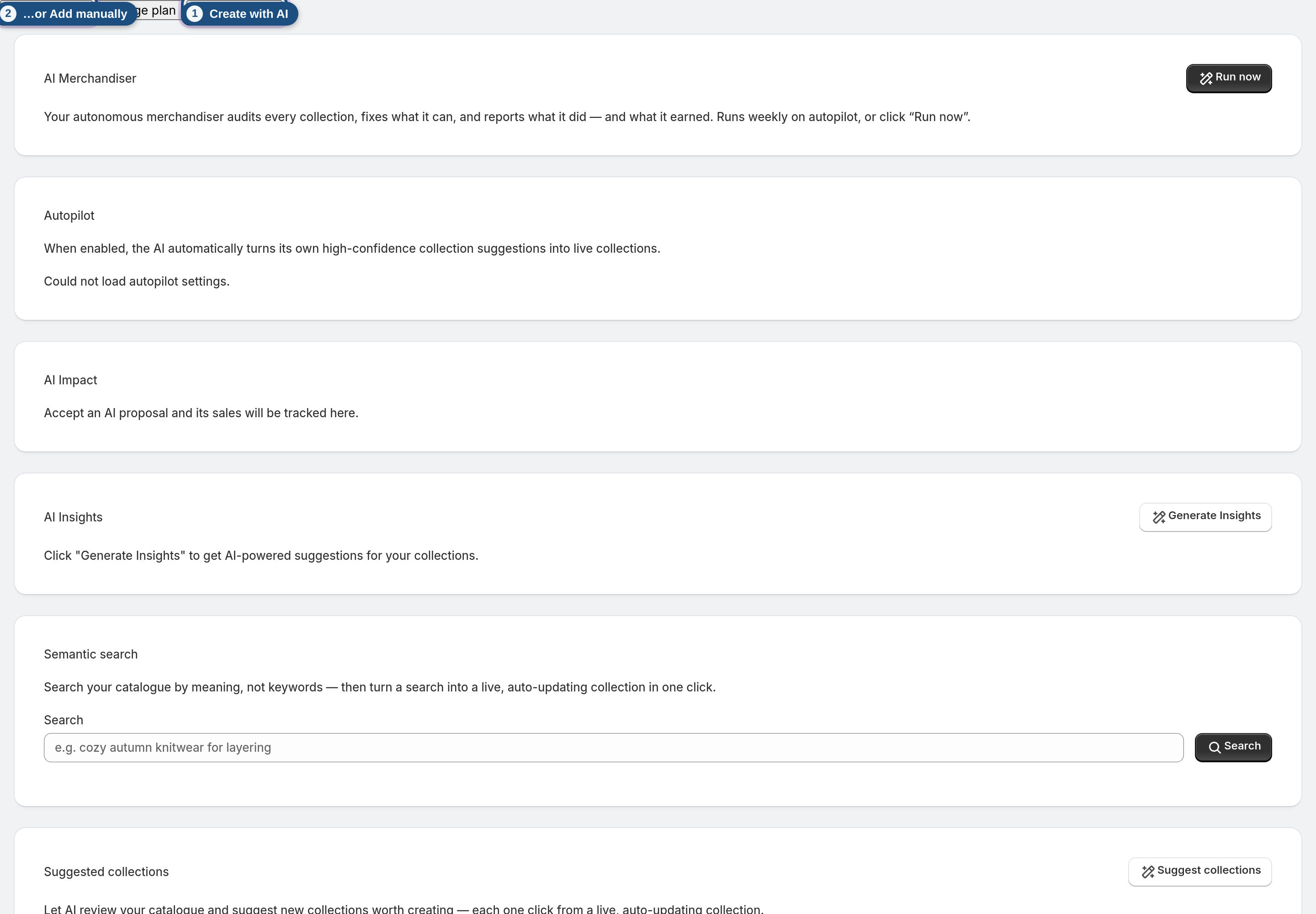
1 Open or create a collection
From the dashboard, click Edit on a collection, or create a new one with Add manually or Create with AI.
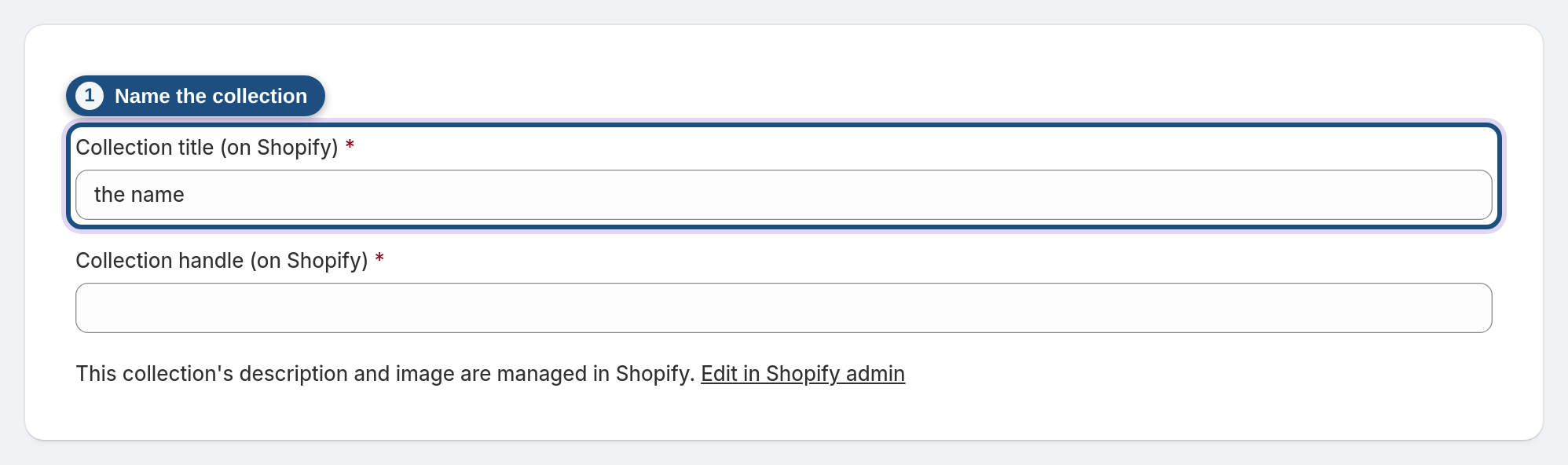
2 Name the collection
Under Collection details, set the Collection title and the Collection handle. Both are written to Shopify, so this is what shows in your admin and on your storefront.
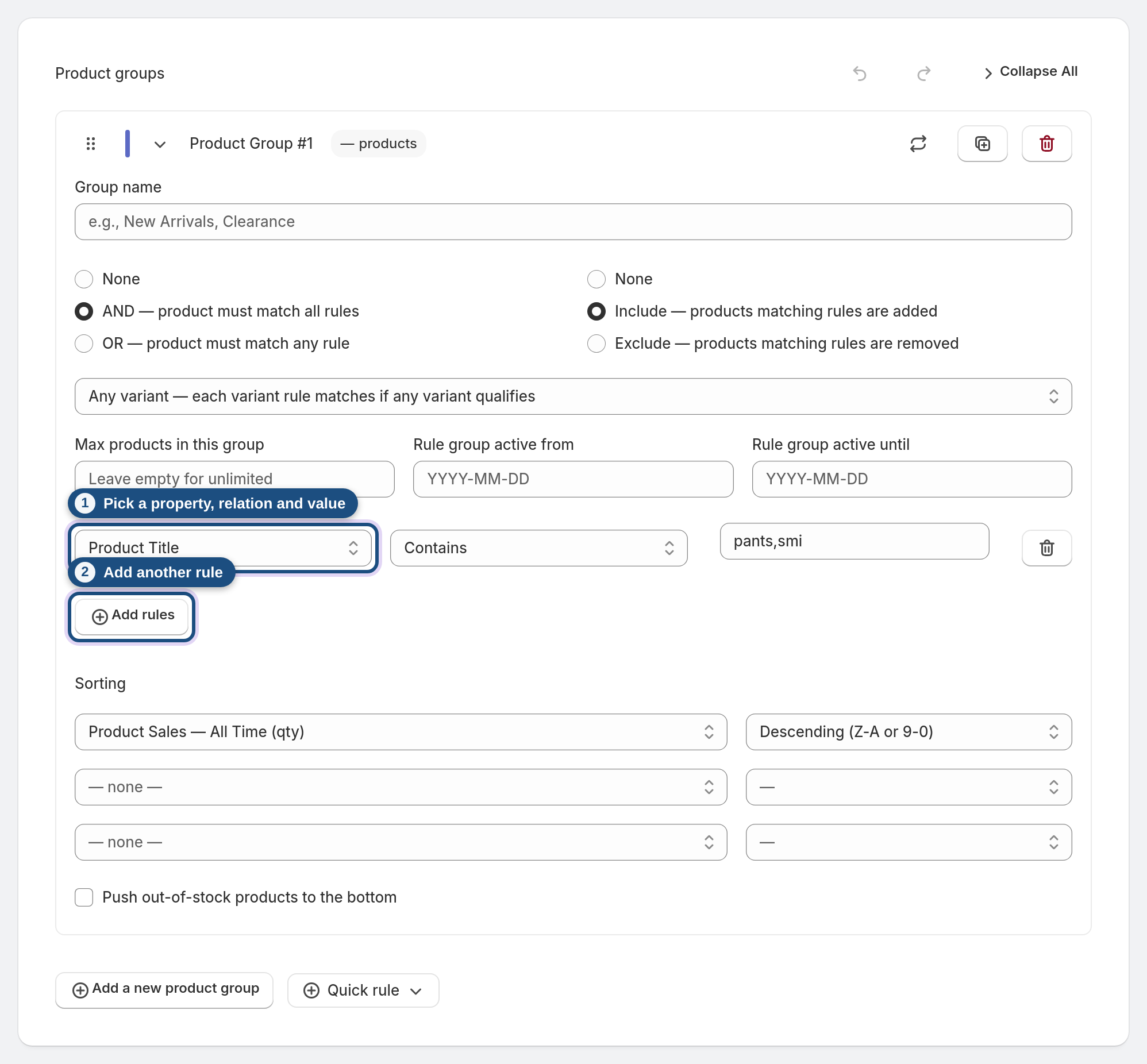
3 Build a product group with rules
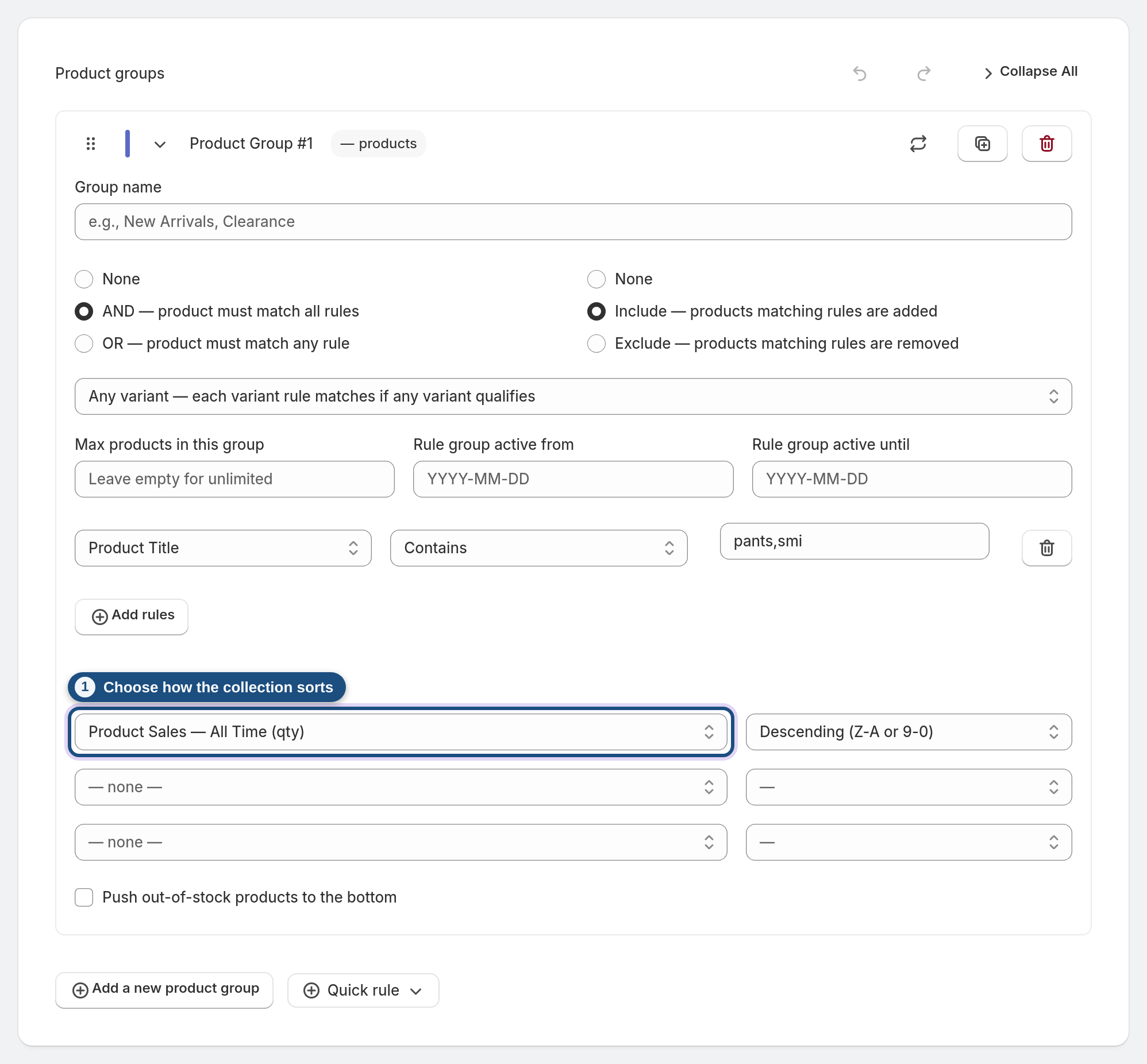
A product group is a set of conditions. Click Add rules and pick a property (Type, Tags, Price, Inventory, Sales, an AI facet, and more), a relation (is, contains, greater than, is one of…) and a value. Then choose AND — product must match all rules or OR — product must match any rule. Click Add a new product group to combine different sets of conditions.
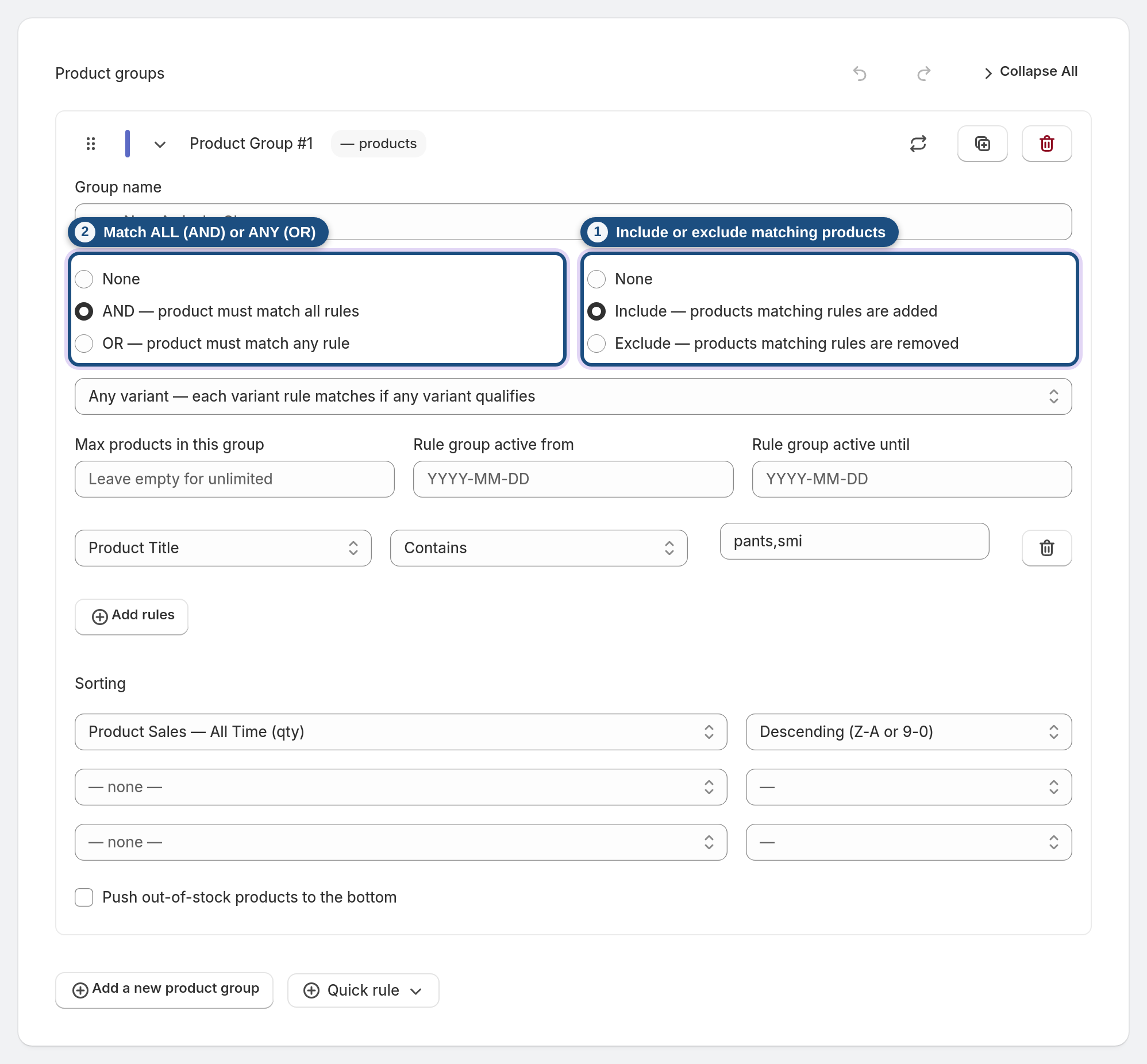
4 Include or exclude
Each group is either Include — products matching rules are added or Exclude — products matching rules are removed — handy for "all dresses, except clearance".
5 Choose how it sorts
Pick a sort property and direction. Beyond the basics you can sort by sales, trending momentum, similarity to a product, or Smart — revenue-optimized (auto), which pushes your best earners up and sold-out products down automatically. There's also a Push out-of-stock products to the bottom checkbox you can combine with any sort.
6 Pin products to the top (optional)
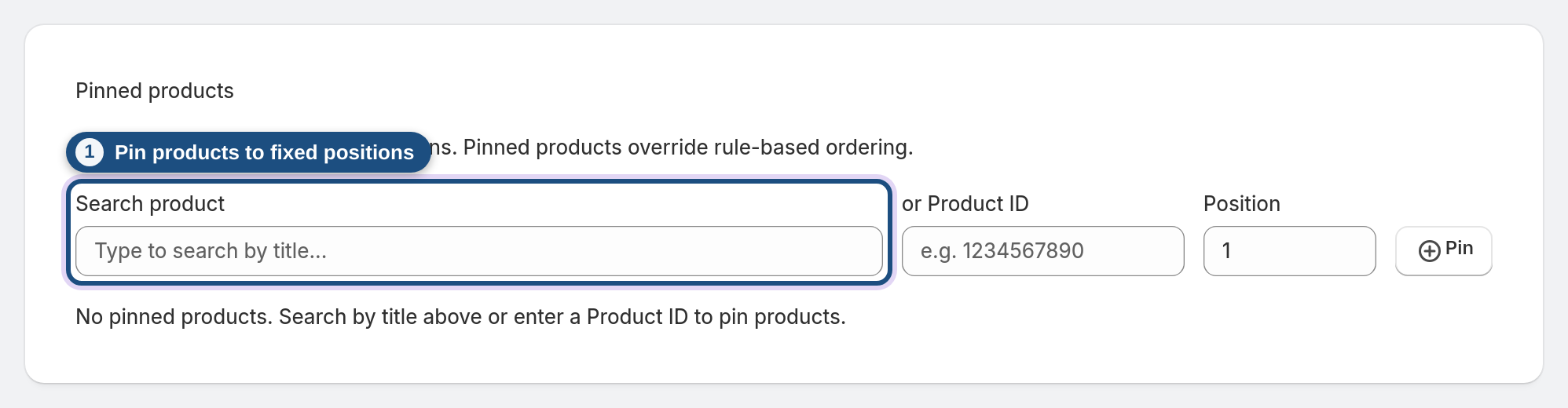
Use Pinned products to force specific products into fixed positions regardless of the rules — use Search product to find it by title (or enter its Product ID), set a Position, and click Pin.
7 Set the safety net (optional)
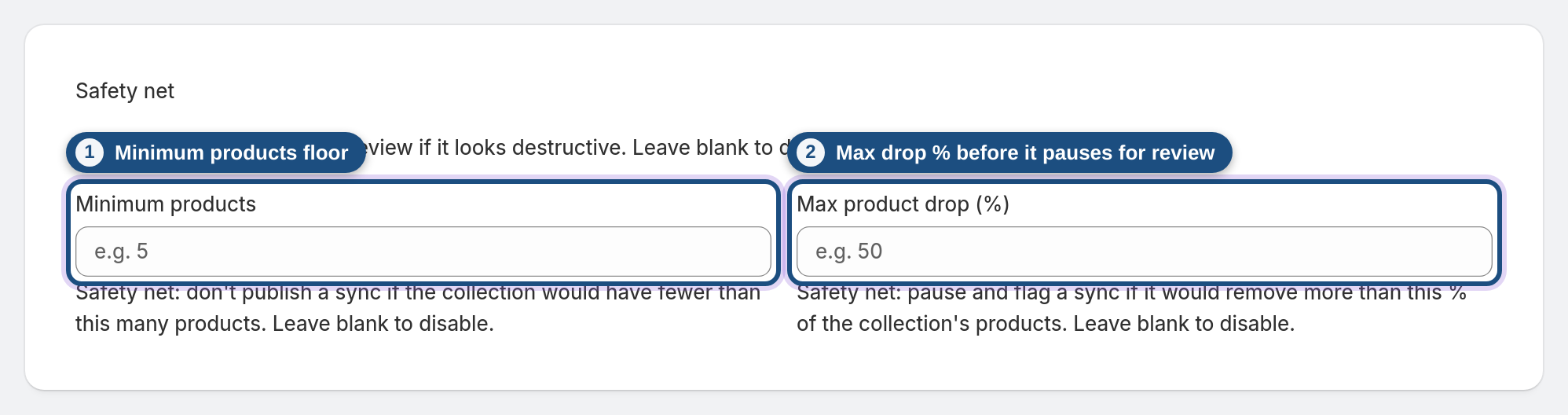
The Safety net holds a sync for review if it looks destructive — set a Minimum products floor and a Max product drop (%) so a bad rule change can't accidentally empty your collection. Leave both blank to disable it.
8 Save the collection
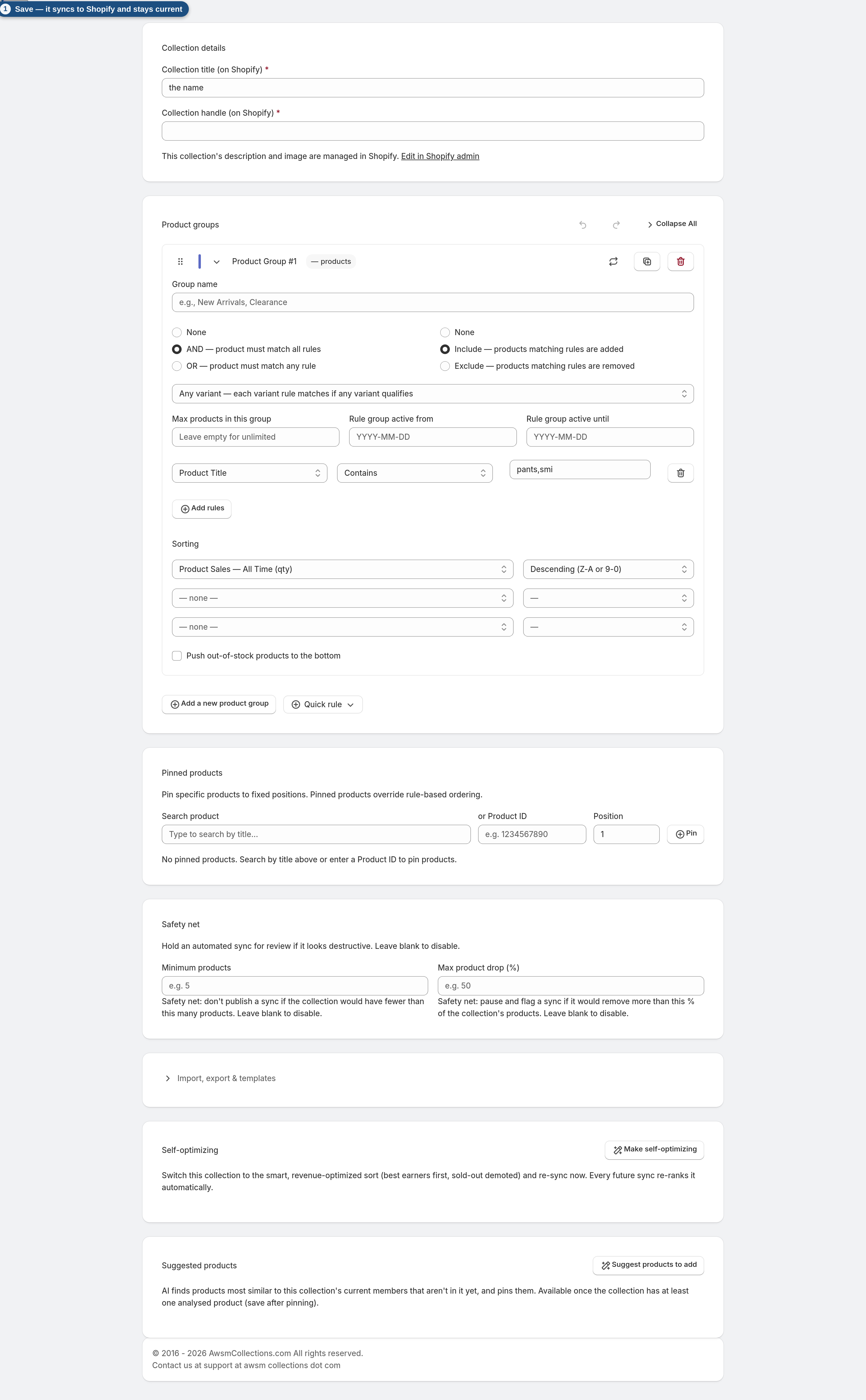
Click Save collection. The collection syncs to Shopify and re-evaluates on a schedule from then on, so it stays current without you touching it.
Frequently asked questions
What's the difference between AND and OR in a group?
AND means a product must match every rule in the group; OR means matching any one rule is enough.
How do include and exclude groups interact?
Include groups add matching products; exclude groups remove them. Excludes win, so you can carve out clearance, drafts, or specific tags.
What can I sort by?
Title, price, inventory, dates, sales figures, trending momentum, similarity to a seed product, random, or the Smart revenue-optimized sort — ascending or descending.
What are pinned products for?
Forcing specific products into fixed spots (e.g. a hero product up top) regardless of the rules.
What does the safety net do?
It pauses a sync that would remove too many products (below your floor or above your max-drop %), so a mistaken rule can't wipe a collection — you review it first.
How often does the collection update?
Automatically on a schedule, and right after you save. It re-checks your catalog so new matching products flow in and removed ones drop out.
