
Self-optimizing collections (smart sort)
A collection's order quietly decides what sells. Self-optimizing collections take that off your plate: the smart sort scores every product by recent revenue, weighted by margin, with a nudge for rising demand — and sinks sold-out products to the bottom. Because it's re-applied on every sync, the order keeps tracking what's actually making you money. Turn it on with one click, or pick it as a sort option when you build a collection.
1 Open the collection editor
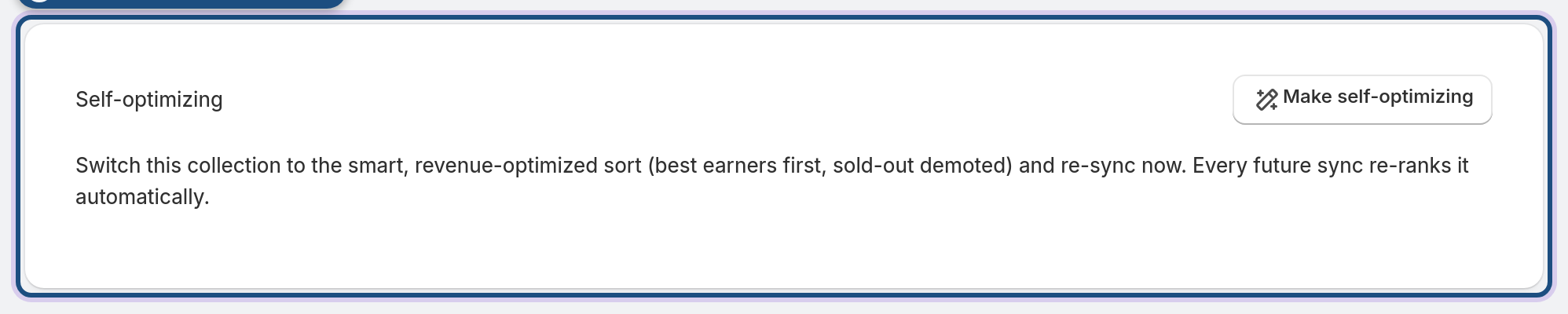
Open any managed collection and scroll to the Self-optimizing section.
2 Make it self-optimizing
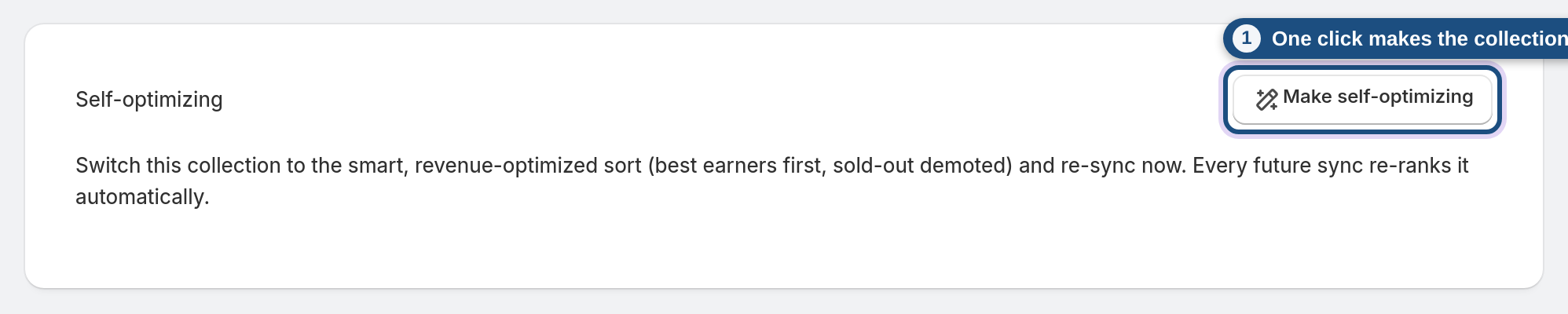
Click Make self-optimizing. The app switches the collection's include groups to the smart, revenue-optimized sort, turns on "demote out-of-stock", and re-syncs right away so it re-ranks now. From then on, every sync re-ranks it automatically.
3 Or choose it as a sort when building
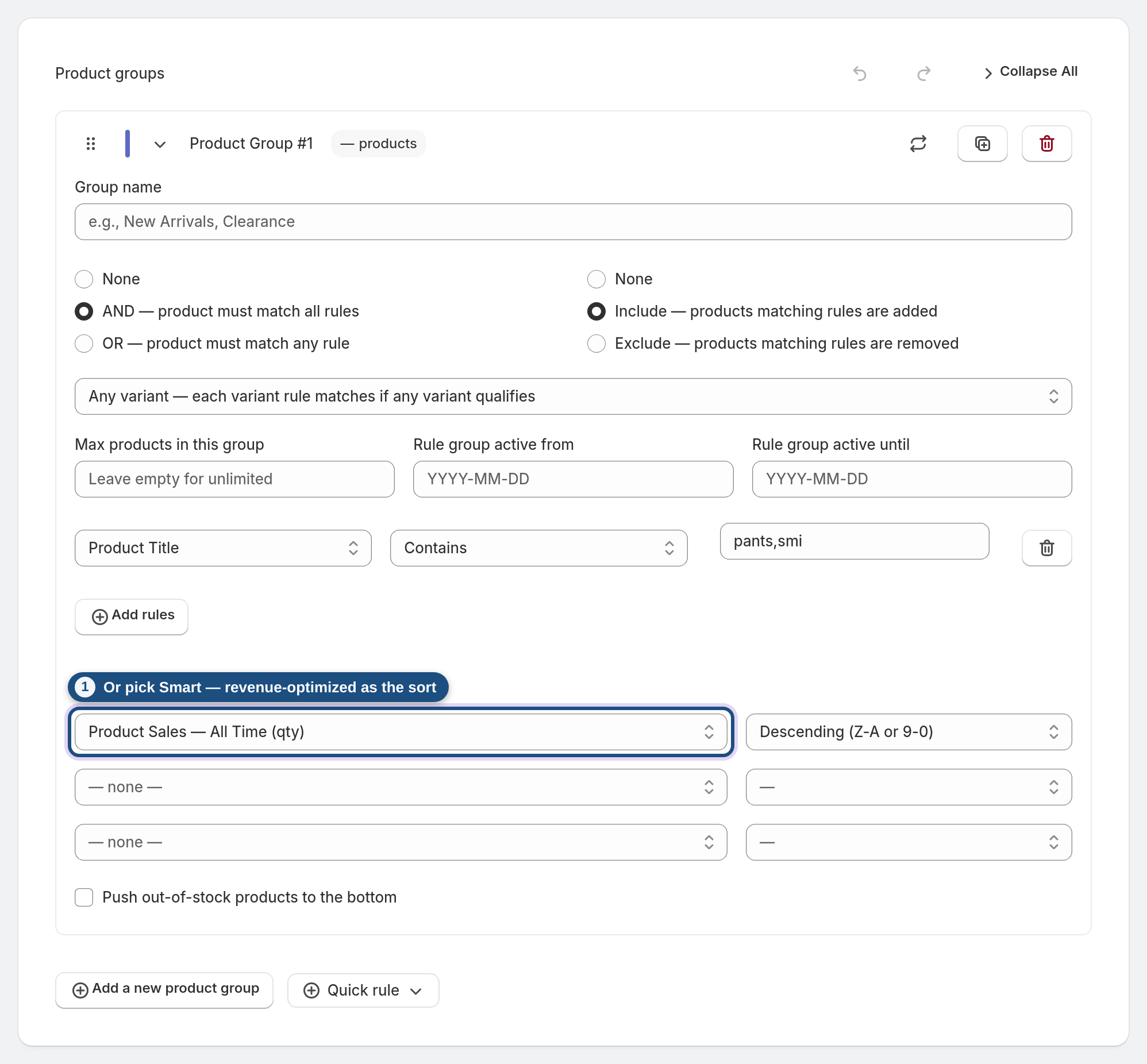
Prefer to set it yourself? In a product group's Sorting options, choose Smart — revenue-optimized (auto) as the sort property. Same engine, applied to just that group.
Frequently asked questions
How does the smart sort decide the order?
Each in-stock product is scored by its last-30-day revenue, weighted up by its margin, plus a small boost for accelerating sales. Out-of-stock products are pushed to the bottom.
Does it keep re-ranking, or just once?
It re-ranks on every sync, so the order tracks live sales — no manual re-sorting.
What happens to sold-out products?
They sink to the bottom automatically, so shoppers see what they can actually buy first.
Can I use it on only one group of a collection?
Yes — pick "Smart — revenue-optimized" as that group's sort, and leave other groups as they are.
Which plan includes it?
Self-optimizing collections are part of the AI toolkit on the Pro and Enterprise plans.
