
Does Awsm Collections Edit Your Theme? What It Changes in Your Store (and What It Doesn't)
Before you install an app that works on your collections, it's fair to ask what else it touches. The short answer: Awsm Collections makes no theme edits. It builds and maintains its own collections. On Pro and Enterprise, it can also save AI facet metafields to your products. Everything else it only reads, or doesn't touch at all. Here is what changes in your store and what stays exactly as it is.
Don't have Awsm Collections yet? Install it from the Shopify App Store →
1 Your theme is not edited
Awsm Collections makes no theme or storefront code edits. The app has no theme extension, so there is nothing to add in the theme editor and nothing to clean out of your theme code later.
What it creates are regular Shopify collections. Your theme shows them the same way it shows any other collection.
2 What it does change: the collections it manages
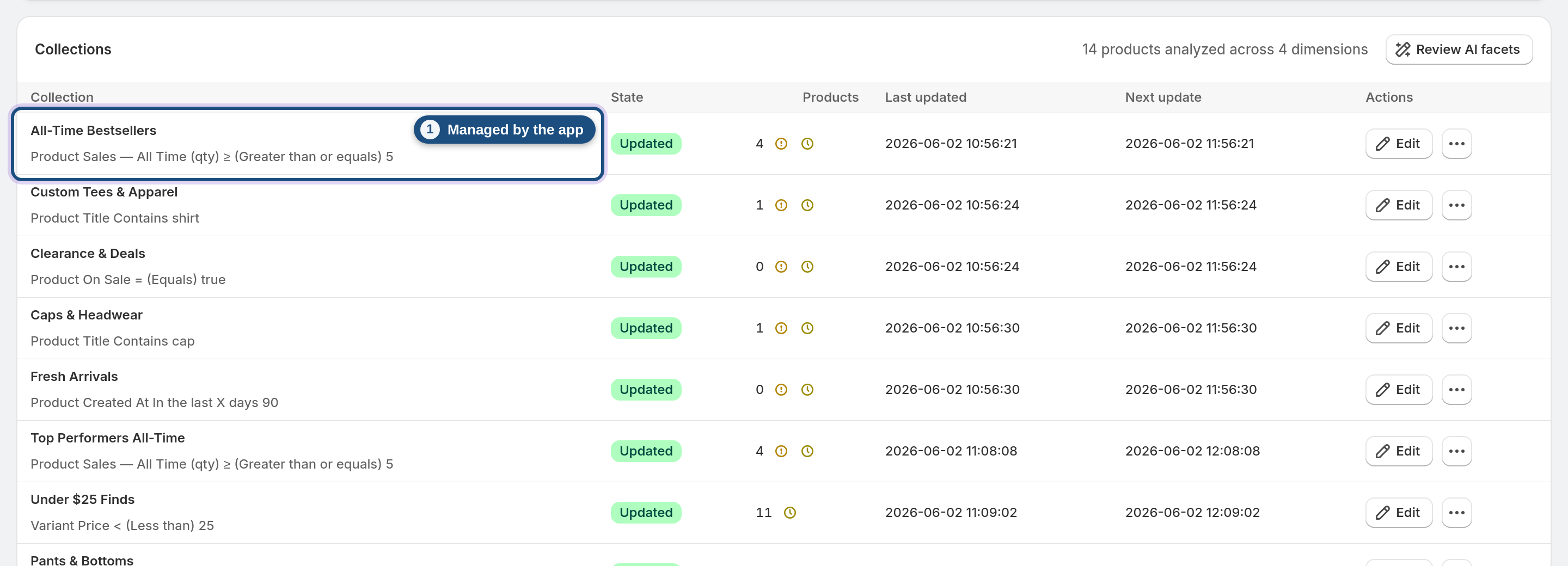
The app writes to managed collections, the ones you build in it from rules, with Create with AI or (on Pro and Enterprise) from suggestions and searches. For those collections it:
• creates the Shopify collection
• adds products as they start matching your rules, and removes them when they stop matching or an Exclude group rules them out
• reorders products by the sort you chose and your pinned products
• publishes the collection to your sales channels
• updates or removes it, for example when you Undo an AI-built collection
These collections keep updating by design. They re-sync on a schedule and right after you save, and price or stock changes re-sort within minutes. If a sync looks destructive, the Safety net holds it for your review. The Safety net is a Minimum products floor plus a Max product drop (%).
3 Your existing collections stay as they are
Collections you made in Shopify, before installing or outside the app, are left untouched. Awsm Collections only manages the collections it creates.
You can still use an existing collection in a rule with the in collection X property. That reads which products are in it. It doesn't change the collection.
4 Product data is not edited (one Pro+ exception)
The app does not edit product titles, descriptions, prices, images or inventory. Rules and sorts read properties such as price, inventory, tags and metafields to decide which products belong in a collection and in what order.
The one product write is AI facets, on Pro and Enterprise only. The app classifies your active, published products into facets such as style, occasion or material. It saves those values as product metafields in the awsm_collections namespace. On Starter, the app writes nothing to your products. See AI facets & the facet review.
5 It doesn't add storefront search or filters
The App Store name is Awsm Collections Sort & Filter. Filter there means filtering products into collections with rules. It does not mean a filter bar that shoppers click.
• Semantic search (Pro+) is an admin tool for finding products and building collections. It is not a shopper-facing storefront search or filter.
• AI facets are saved as product metafields. The app doesn't add them to your storefront as filters itself. Showing them to shoppers would depend on your own theme or filter setup.
6 Order data is read, never changed
To calculate sales figures, the app reads your order data. Those figures are units sold and revenue (all-time and last 30/60/90 days), which feed rules, sorting and the smart sort.
It does not create, edit or fulfil orders. It also doesn't manage pages, blogs or product reviews.
7 The AI only acts on its own if you turn autopilot on
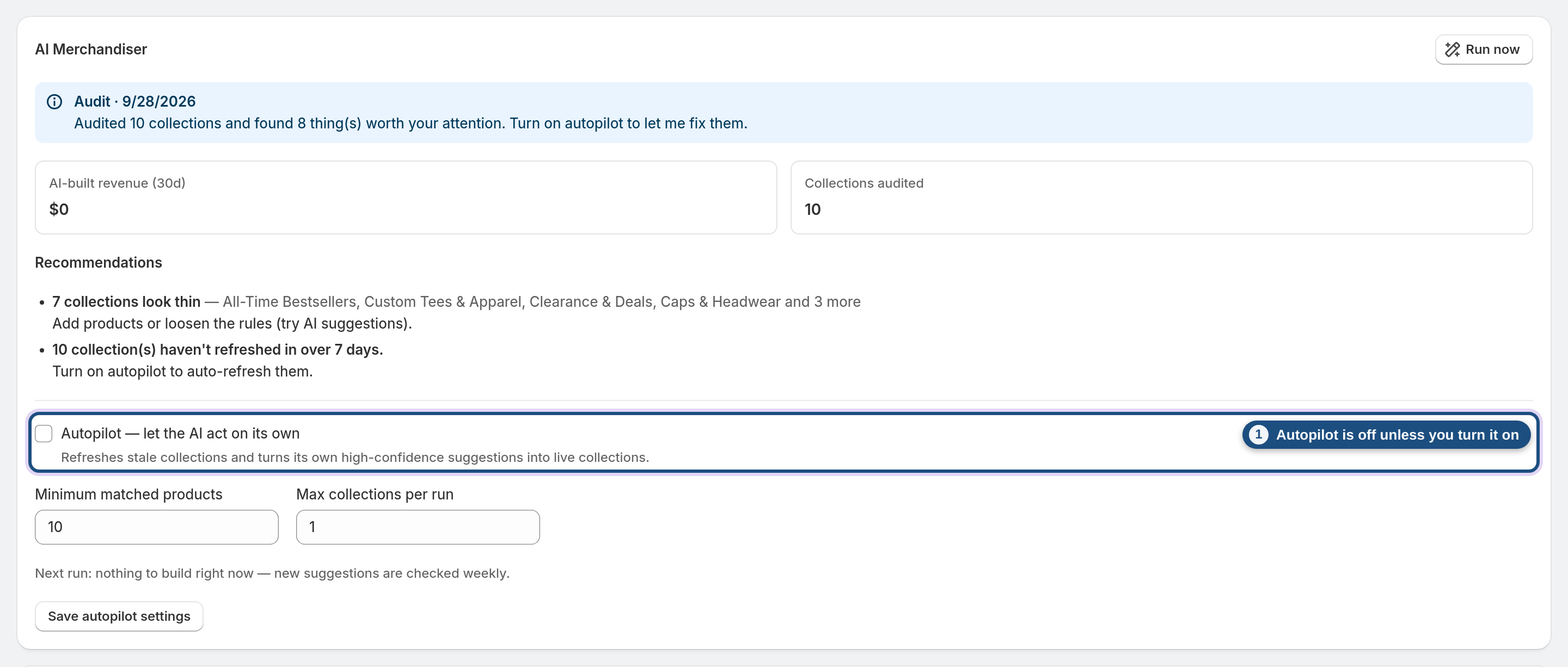
With autopilot off, the Autonomous AI Merchandiser (Pro+) only audits and recommends. It makes no changes. With autopilot on, it re-syncs stale collections and accepts high-confidence suggestions, capped per run. Every AI-built collection can be removed with Undo.
Create with AI builds rules you review and save yourself. The result is an ordinary managed collection. See The Autonomous AI Merchandiser.
Frequently asked questions
Does Awsm Collections edit my theme or add code to my storefront?
No. The app makes no theme or storefront code edits and has no theme extension. It creates regular Shopify collections, which your theme displays like any other collection.
Will installing the app change my existing collections?
No. Awsm Collections only manages the collections it creates. Collections you already have are left untouched, though you can use one as an in collection X condition in a rule.
The app name says 'Filter'. Does it add filters to my storefront?
No. 'Filter' refers to filtering products into collections with rules. Semantic search is an admin tool, not a shopper-facing search or filter. AI facets are saved as product metafields, and using them as storefront filters would depend on your own theme or filter setup.
Does it change my product titles, prices, images or inventory?
No. It reads product data to evaluate rules and sorts but never edits it. The only thing it writes to products is AI facet metafields in the awsm_collections namespace, and only on the Pro and Enterprise plans.
What happens to my collections if I uninstall the app?
They stay in your store as regular Shopify collections, but they stop updating. Since the app never edited your theme, there is no theme code to clean up.
Is the app available in languages other than English?
No. The Awsm Collections interface is English only.