
Awsm Collections Not Updating? How and When Your Collections Sync
A managed collection is defined by rules, not a fixed list, and Awsm Collections keeps re-evaluating those rules and syncing the result to a regular Shopify collection. That doesn't happen instantly for every kind of change, though. Some changes are picked up within minutes. Others wait for the next scheduled sync. And sometimes a sync is deliberately held, or the product simply doesn't match. This guide explains when a collection updates, how to trigger an update yourself, and what to check when a product is missing or the collection looks stuck.
Don't have Awsm Collections yet? Install it from the Shopify App Store →
1 Know when a collection syncs
A managed collection syncs at three points:
• Right after you save it. Saving the collection runs a sync straight away.
• On a schedule. The app re-syncs every managed collection automatically. How often depends on the collection's size: about every hour for collections under 1,000 products, every 3 hours under 10,000, every 6 hours under 20,000, and once a day above that.
• When a price or stock level changes. These changes re-sort the collection within minutes.
A brand-new product, or a change to its tags, type or other properties, is not covered by that fast path. It joins matching collections at the next scheduled sync. If you've just added a product and it isn't there yet, that's usually all that's happening.
2 Force a sync with Update now
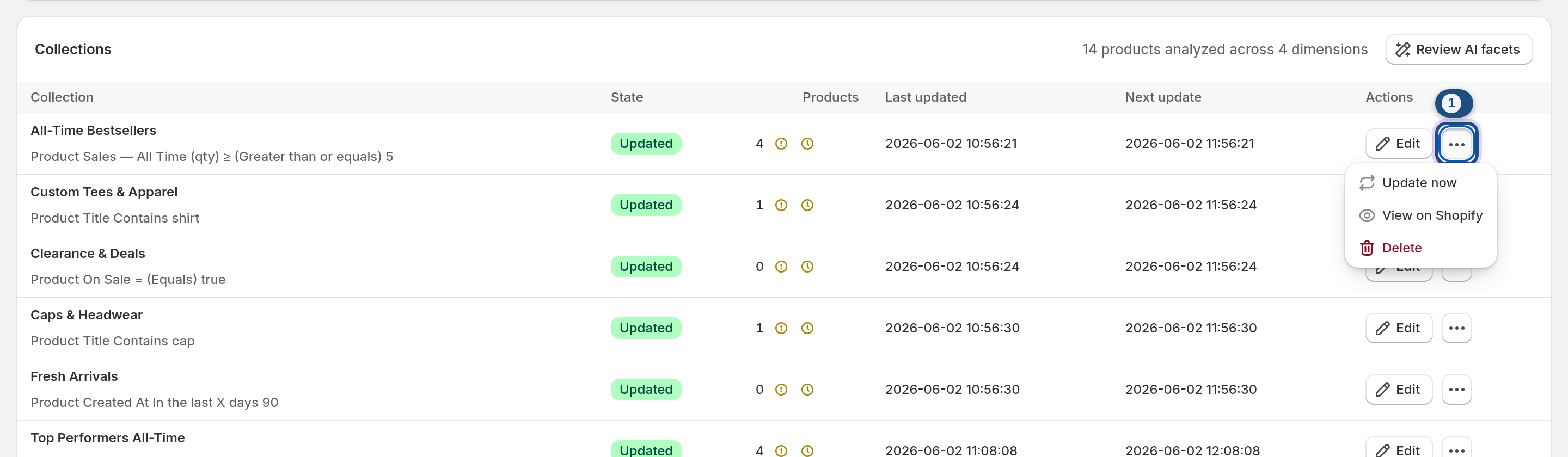
You don't have to wait for the schedule. On the collections list, open the collection's ⋯ (More actions) menu and choose Update now. The editor has no Update now button; saving the collection there also runs a sync. The app re-evaluates the rules and syncs the result to Shopify.
If the product still doesn't appear after Update now, the timing isn't the problem. Work through the next steps to find out why the rules are keeping it out.
3 Check whether the safety net held the sync
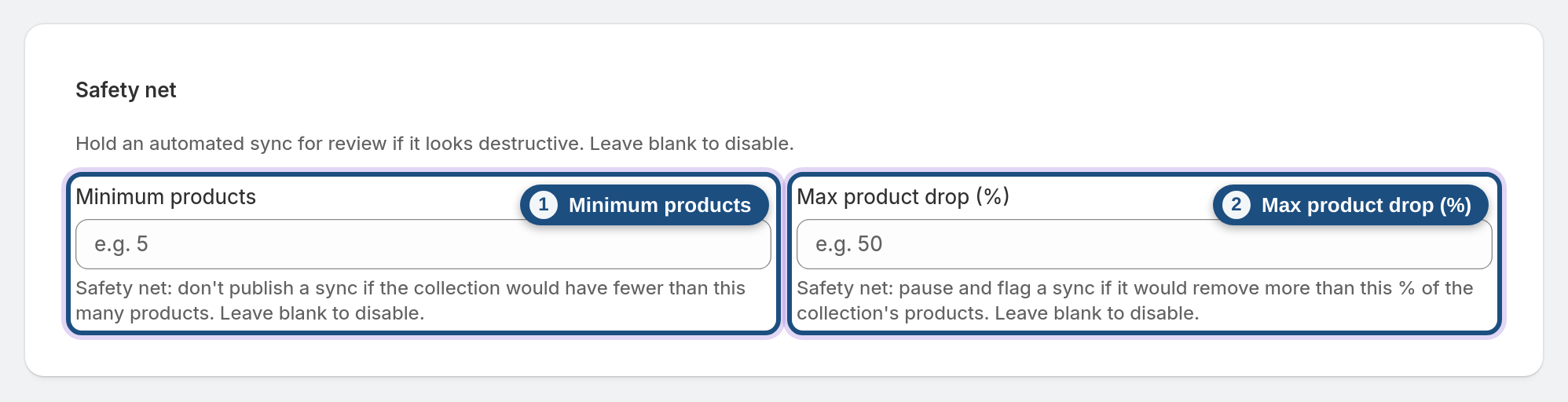
Each managed collection can have a Safety net that stops a sync which looks destructive:
• Minimum products: the sync is held if the collection would drop below this number of products.
• Max product drop (%): the sync is held if it would remove more than this share of the collection at once.
A held sync isn't applied, so the Shopify collection keeps its previous contents until you review it. Open the collection: the editor shows a Last sync was held for review banner with the reason. There is no separate approve button; the held change stays unapplied until you save the collection again (or use Update now), which re-runs the sync against your current thresholds. If it was held because of a genuine rule mistake, fix the rules and save. If the big change is intended, adjust the thresholds in the collection's Safety net settings.
The app also holds a sync that would shrink the collection while your product data can't be read reliably, even if you set no thresholds, so a temporary data problem can't empty a collection.
4 Check that the product really matches the rules
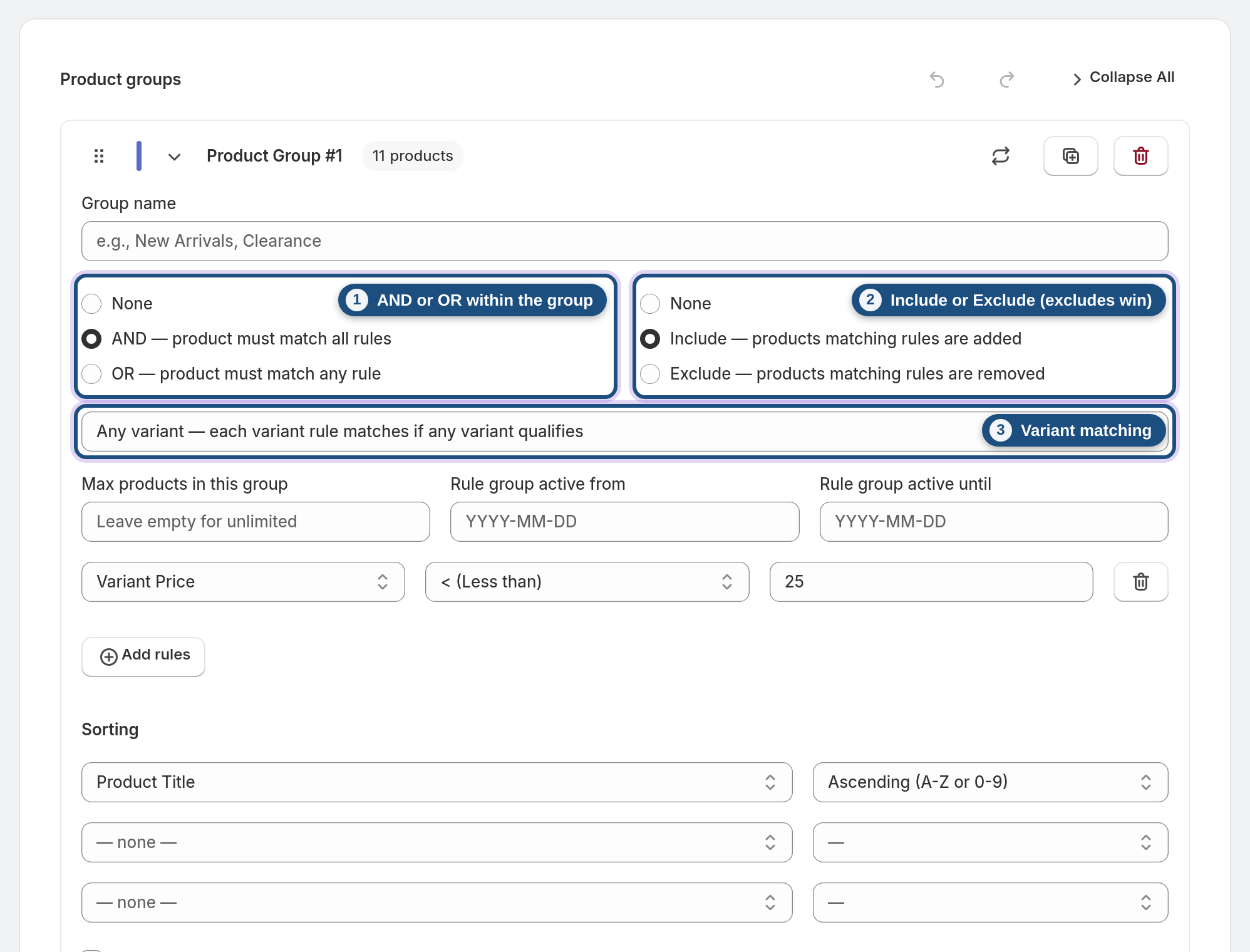
Most "missing product" cases come down to how the product groups combine:
• Within a group, rules are joined with AND (every rule must match) or OR (any rule can match).
• Each group is set to Include or Exclude, and excludes win. A product that matches an Include group but also an Exclude group stays out.
• Variant matching decides how variant-level rules apply in an AND group: any variant, same variant (one variant must satisfy all the variant rules) or all variants. A product with only some of its variants in stock fails an "all variants" inventory rule.
Compare the product's actual values (tags, vendor, price, inventory, metafields and so on) against each rule. A trailing space in a tag or a different spelling of a vendor is enough to miss an equals rule.
5 Check group caps and schedules
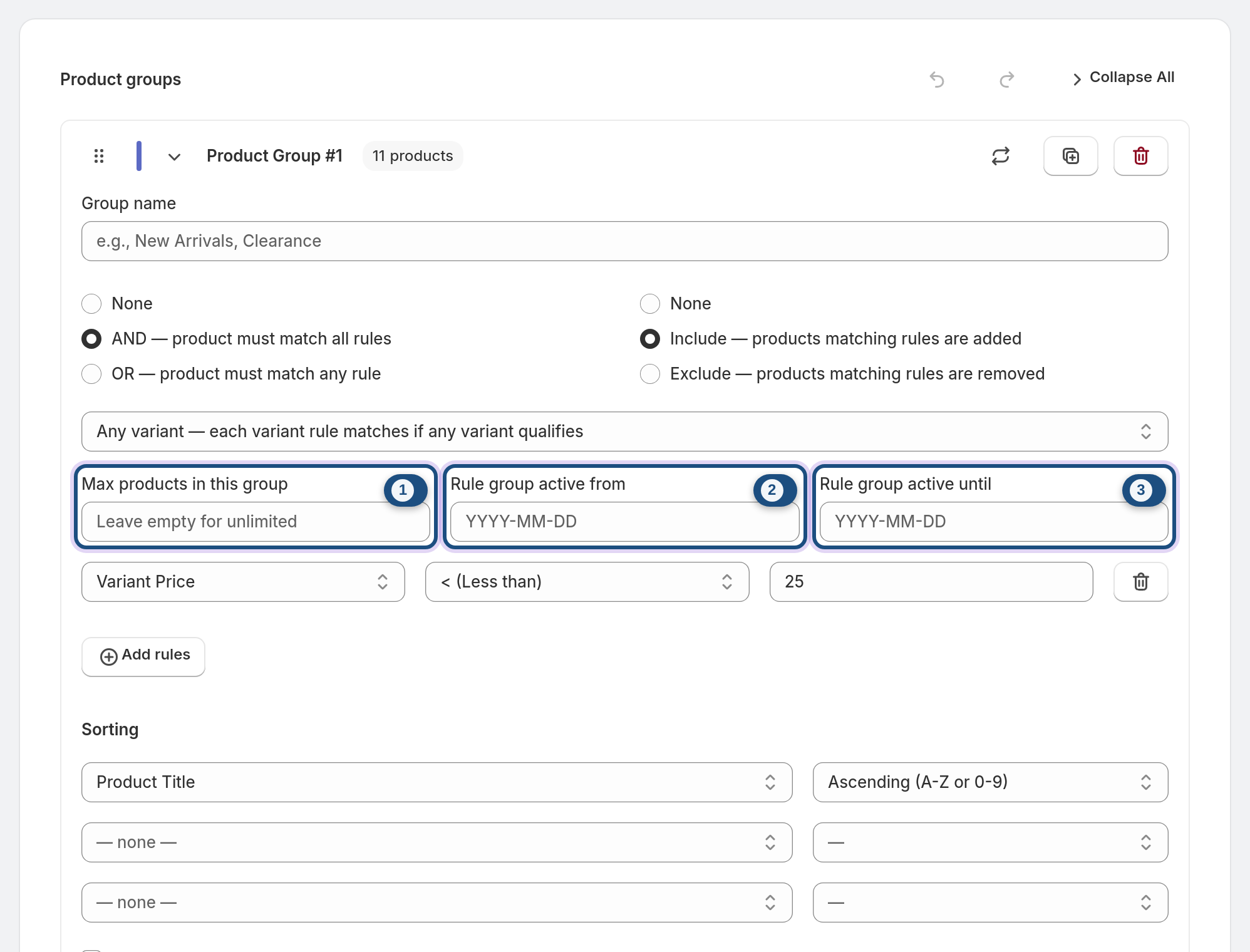
Two per-group settings can keep a matching product out on purpose:
• Max products: once a group reaches its cap, further matches are left out. The cap keeps the top of the group's sort order, so a product low in the sort order can fall outside the cap.
• Scheduling: a group with active from / active until dates only contributes products inside that window (both dates included, whole days). Before the start date or after the end date, it adds nothing.
If a whole group's products never arrived, check its dates first.
6 If the product is there but in the wrong place
Sometimes the product is in the collection, just not where you expected:
• Sort is set per group and defaults to title A–Z unless you choose another sort.
• The option to push out-of-stock products to the bottom moves sold-out items down. The Smart revenue-optimized sort also sinks sold-out products.
• Pinned products hold fixed positions regardless of the rules, which shifts everything else around them.
Price and stock changes re-sort within minutes. A self-optimizing collection (Pro and Enterprise) is re-ranked on every sync. See Self-optimizing collections for how the Smart sort scores products.
7 Rules based on AI facets (Pro and Enterprise)
On the Pro and Enterprise plans, AI facets can be used as rule properties. The app only classifies active, published products, so a draft or unpublished product has no facet values yet and won't match a facet rule.
If a facet value on a product is wrong, correct it in the facet review. See AI facets & the facet review.
Frequently asked questions
Why hasn't my new product appeared in my Awsm Collections collection yet?
New products, and changes to properties such as tags or type, are picked up at the next scheduled sync, not instantly. Use Update now in the collection's ⋯ menu on the collections list to sync straight away. If it still doesn't appear, check the rules, Exclude groups, variant matching, the group's Max products cap and its schedule dates.
How often does Awsm Collections update my collections?
Automatically on a schedule, and right after you save a collection. Price and stock changes re-sort a collection within minutes. The scheduled re-sync runs about hourly for collections under 1,000 products, every 3 hours under 10,000, every 6 hours under 20,000, and daily above that.
What does it mean when a sync is held?
The collection's Safety net stopped a sync that would have dropped it below your Minimum products or removed more than your Max product drop (%). The Shopify collection keeps its previous contents until you review the sync, fix the rules or adjust the thresholds.
Will Awsm Collections update my existing Shopify collections?
No. It only manages the collections it creates and leaves your existing Shopify collections untouched. You can still use an existing collection as a condition with the "in collection" rule property.
Is automatic re-sync included on every plan?
Yes. The full rules engine and automatic re-sync are on Starter, Pro and Enterprise. All plans include a 7-day free trial.
What happens to my collections if I uninstall the app?
They stay in your store as regular Shopify collections, but they stop updating because the app is no longer evaluating the rules.